Lecture to Notes, Organized by Topic with Key Slides

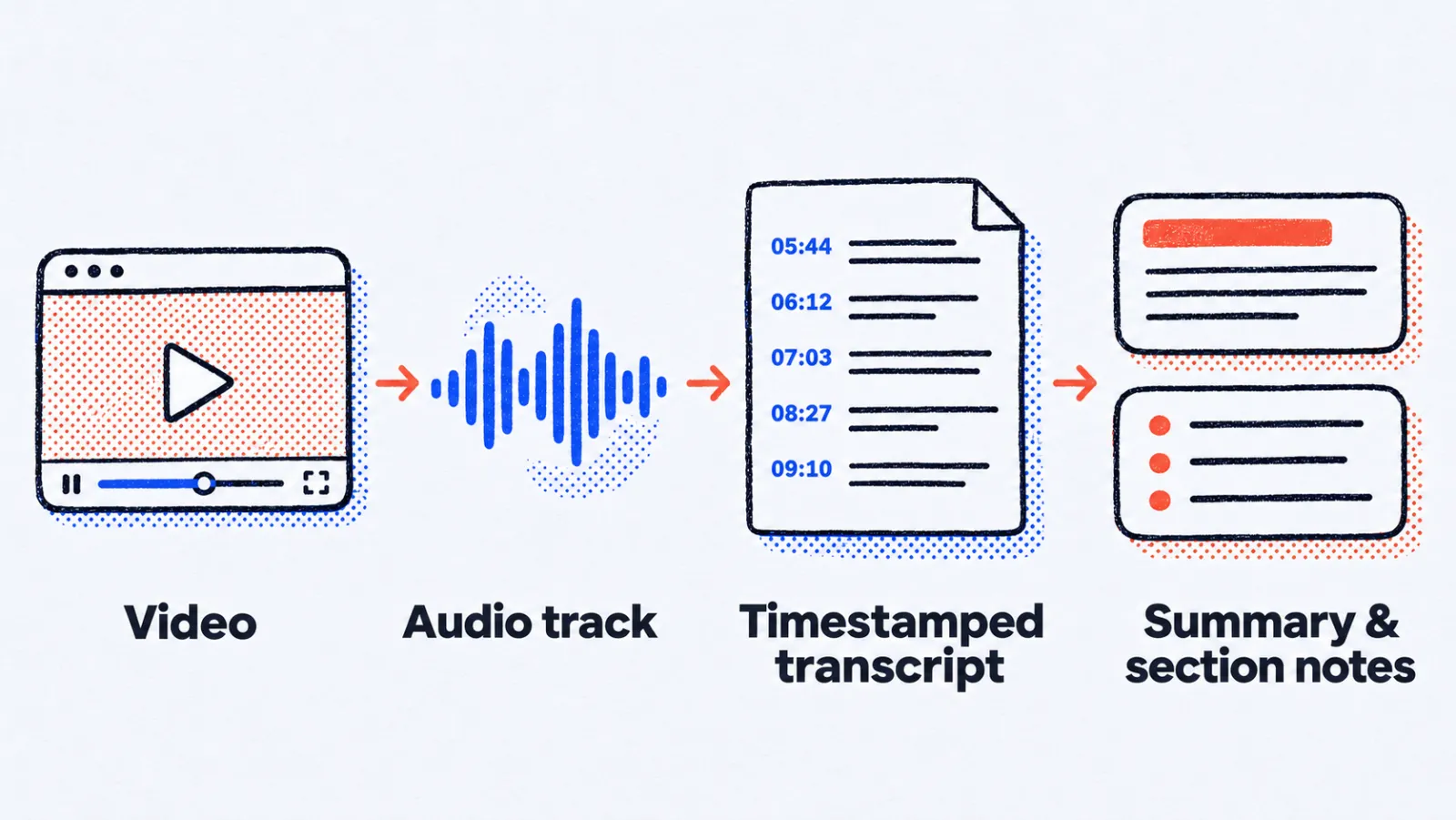
Upload a lecture you downloaded from Zoom or Panopto, or recorded on your phone. Get a summary, key points and timed sections, with key slides added where the recording shows them.

See real lecture notes

80 free credits across 3 files a week · up to 40 min of Notes only

  • Price shown before you start
  • Incomplete output: credits returned
  • Private by default

Real lecture notes, with the slides beside them

A 21:49 recorded psychology lecture from Hatala Testing, processed with Notes with frames for 88 credits. Unedited output: summary, key points, timed sections and the slides that go with them.

Memory: Encoding, Storage, Retrieval, and Effective Study Strategies

Adapted from Openstax Psychology - Ch8 - Memory · Hatala Testing · CC BY 3.0

Memory depends on how information is encoded, stored, and retrieved across sensory, short-term, and long-term systems. The lecture explains major memory types, their brain mechanisms, and how emotion, amnesia, reconstruction, and interference affect remembering. It also presents practical ways to improve learning through meaningful connections, rehearsal, mnemonics, and spaced practice.

Key points

  • Memory involves encoding, storage, and retrieval. Automatic processing occurs largely without conscious awareness, while effortful processing requires attention; meaningful semantic encoding and personal relevance improve remembering.
  • Long-term memory includes explicit memories, such as semantic knowledge and autobiographical episodes, and implicit memories, including procedural skills. Retrieval occurs through recall, recognition, and relearning.
  • Effective study strategies include elaborative rehearsal, personal connections, chunking, memorable mnemonic devices, repeated review, and spaced practice rather than cramming.

Storage and the Atkinson-Shiffrin model 02:47

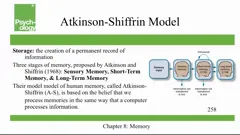
03:00The Atkinson-Shiffrin model shows sensory input moving through sensory, short-term, and long-term memory, with rehearsal and information loss.
  • Storage is the creation of a permanent record of information.
  • The Atkinson-Shiffrin model proposes three stages: sensory memory, short-term memory, and long-term memory.
  • It is called the modal model because it is commonly applied, and it compares human memory processing to computer information processing.

Long-term memory and its types 06:24

06:30A classification tree divides long-term memory into explicit and implicit memory and shows their subtypes.
  • Long-term memory continuously stores information without capacity limits, although memories vary in strength and may require prompts or cues.
  • Its two broad types are explicit and implicit memory.
  • Explicit, or declarative, memories are consciously remembered and recalled, such as facts studied for a psychology test.

Strategies for enhancing memory 18:39

20:00Memory enhancement strategies with mnemonic examples for musical notes, the Great Lakes, and spectrum colors.
  • Rehearsal is conscious repetition of information, illustrated by memorizing multiplication tables.
  • Chunking organizes information into manageable units. A ten-digit telephone number can be grouped into an area code, three digits, and four digits.
  • Elaborative rehearsal connects the meaning of new information to knowledge already stored in memory.

+ 16 more sections and the full transcript

A longer lecture, the same structure

A 47:34 introductory neuroscience lecture from Neuroscience Online, split into 29 timed sections, most with the diagram the lecturer was explaining.

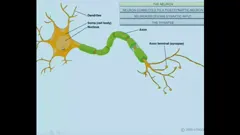
07:30Neuron diagram showing dendrites, the soma and nucleus, an axon with insulating segments, and branched axon terminals.

Neurons, Synapses, and Neural Circuits

Adapted from Intro to Neuroscience · Neuroscience Online · CC BY 3.0

The lecture introduces neuroscience as the study of nervous system function across molecular, cellular, and circuit levels. It explains neuronal structure, synaptic transmission, resting and action potentials, and how excitatory and inhibitory inputs shape activity. Examples including reflexes, visual edge enhancement, rhythmic activity, locomotor patterns, memory, and visual pathways show how recurring circuit motifs support perception and behavior, while their dysfunction contributes to disease.

  • Neurons have four main domains—soma, dendrites, axon, and synaptic terminals—and communicate when presynaptic terminals release neurotransmitters that bind postsynaptic receptors.
  • Postsynaptic neurons integrate excitation and inhibition: summating EPSPs can reach threshold, while IPSPs reduce the likelihood of firing.
  • Common circuit motifs include feedforward excitation and inhibition, convergence, divergence, lateral inhibition, and recurrent feedback. Lateral inhibition enhances edges and can also produce brightness illusions such as Mach bands.

47:34 · Notes with frames · 192 credits · 29 sections · 8 key points

A lecture recording vs lecture notes

Recording a class is easy. Getting back to the five minutes that matter is not. Lecture notes give the recording a structure, so you can review a whole lecture in the time it takes to read one page.

The recordingA transcriptLecture notes
What you keepA 50-minute file you never reopenEvery word, in orderA summary, key points and sections
Find one topicScrub and guessSearch the wordsScan the section titles, click the time
See the slidePause and screenshotText onlyThe slide sits beside its section
Review for the examRewatch at 1.5×Read it all againRead the key points, open a section when needed
Share with a study groupSend a huge filePaste a wall of textSend a share link or Markdown

Slides and board work, kept where they belong

Notes with frames is the default for lecture to notes. ClipNoter picks frames from the recording and places each one beside the section that talks about it.

The right slide, not every slide

Frames are chosen for the moment they explain, such as a new chart, a formula or a worked example, so the lecture notes stay readable.

Every slide has a time

Each frame carries its timestamp. Click it to hear what the professor said while the slide was up.

Slides travel with the notes

Export a ZIP with the Markdown lecture notes and every frame as an image, ready for Notion or Obsidian.

Frames are added where they help. A lecture filmed from the back of the room, or audio only, gets notes without slides. Audio files are processed as notes at 2 credits per minute.

Works with the lecture recordings you already have

If you can download it, you can turn it into lecture notes. One file at a time, with the language detected for you.

  • Zoom and Teams cloud recordings

    Download the MP4 and upload it as it is.

  • Panopto, Kaltura and Canvas

    Use the download button your school provides.

  • Phone recordings of a class

    Voice memos in M4A, MP3 or WAV work too.

  • Screen recordings of online courses

    MOV or MP4 from QuickTime, OBS or Loom.

  • Guest talks and seminars

    Any recording you are allowed to keep.

  • Lectures in another language

    Write the notes in the language you study in.

  • Up to 10 hours per file after purchase
  • Up to 5 GB
  • Language detected automatically
  • MP4 · MOV · WebM · MP3 · M4A · WAV

Turn lecture notes into a study routine

An AI lecture note taker is only useful if you go back to the notes. Each step below takes a few minutes.

  1. 1

    Right after class

    Read the summary and key points while the lecture is fresh, and fix anything the recording got wrong.

  2. 2

    During the week

    Search your lecture notes by topic. Click a timestamp to replay the explanation you did not follow.

  3. 3

    Before the exam

    Export one Markdown file per lecture into your course folder and review the key points, not the recordings.

What a lecture costs to turn into notes

You see the length and the credits before processing starts. Every started minute counts.

200 credits

A 50-minute lecture as notes with frames, 4 credits per minute.

100 credits

The same lecture as notes without slides, 2 credits per minute.

80 free credits

Every week: 20 minutes of lecture notes with slides, or 40 minutes without.

Lecture to notes pricing

Choose credits or personal Unlimited. Save up to 35% with annual billing.

Starter
A few recordings a month
$11.90/ mo
$15.90$142.80 billed yearly, save $48.00
800 credits / month
  • 800 min transcript / 400 min notes
  • or 200 min with frames
  • 150 GB media storage
  • Export MD · TXT · SRT · VTT
ProRecommended
Interviews or lessons every week
$19.90/ mo
$29.90$238.80 billed yearly, save $120.00
2,400 credits / month
  • 2,400 min transcript / 1,200 min notes
  • or 600 min with frames
  • 300 GB media storage
  • Export MD · TXT · SRT · VTT
Unlimited
Frequent personal learning and research
$38.90/ mo
$59.90$466.80 billed yearly, save $252.00
Personal unlimited, Notes with frames included
  • Personal unlimited, Notes with frames included
  • 750 GB media storage
  • Export MD · TXT · SRT · VTT

Not ready to subscribe? One-time credit packs are available too.See all pricing

Free · 80 credits every week

  • Up to 3 tasks a week
  • Transcript 1 / Notes 2 credits per min
  • With frames: 4 credits/min in total
  • Resets Monday 00:00 UTC

Lecture to notes questions

Only you

Your files belong to your account

Private by default

Files, transcripts and notes are visible only to your account.

Delete anytime

Deleting a file from your library queues cleanup of its files, transcript and notes. Cleanup may take time.

Incomplete output: credits returned

If the output required by your selected mode is still incomplete after automatic retries, processing credits return to their original sources and expiry dates. Expired or retired credits do not become available again.

How do I turn a lecture recording into notes?
Download the recording from Zoom, Panopto or your phone, check the credits and upload the file. The lecture notes open next to the recording with a summary, key points and timed sections.
Will the slides be in my lecture notes?
With notes with frames, yes: frames are picked from the video and placed beside the section that discusses them. Not every section gets a slide, and audio-only recordings get notes without images.
Is this an AI lecture note taker that joins my class?
No. ClipNoter does not join live classes. It works on a lecture recording after the fact, which means nothing runs during the lecture and you decide what to upload.
How long can a lecture be?
After purchase, up to 10 hours and 5 GB per file, so a full seminar or a recorded study day fits in one upload.
How much does lecture to notes cost?
Notes with frames cost 4 credits per minute and notes 2 credits per minute. A 50-minute lecture is 200 or 100 credits. Free accounts get 80 credits every week.
Can I get notes in a different language from the lecture?
Yes. Choose the note language before you start; the transcript stays in the language that was spoken.
Can I edit my class notes?
Yes. On a computer, choose Edit notes to change the summary, key points or sections, and fix any word in the transcript right on the page. Your edits are saved and included when you export.
What if the audio in the room is poor?
Clear speech gives the best results. If the professor walks away from the microphone or students ask questions far from it, some words may be missed. You can fix them in the transcript afterwards.
Does it work for math and science classes?
Yes. Formulas, graphs and diagrams on the screen are kept as frames beside the matching section. Formulas that are only spoken appear as words in the transcript, so check them against your slides.
Am I allowed to upload a lecture recording?
Only upload recordings you are allowed to make and keep. Many schools allow students to record for personal study; check your course rules, and never share notes that your school asks you not to.

Still have a question? Get in touch

More ways to use ClipNoter

Turn this week’s lectures into notes

Upload a lecture recording and get study notes organized by topic, with key slides where they help. 80 free credits every week.